
Washing machine Wi-Fi connection problems can prevent modern smart washing machines from communicating with mobile applications, home networks, and other smart-home systems. Features such as remote monitoring, cycle notifications, diagnostics, customized wash programs, and maintenance alerts depend on a stable wireless connection. When the connection fails, the washing machine may appear offline even though it continues to operate mechanically.
For homeowners, landlords, apartments, hotels, laundries, and other facilities using smart appliances, understanding the causes of connectivity problems can help determine whether a simple network adjustment is sufficient or whether professional washing machine repair in Nairobi is required.
Common Washing Machine Wi-Fi Connection Problems
Smart washing machines combine conventional mechanical components with electronic control boards, wireless modules, sensors, firmware, and mobile applications. A fault in any part of this system can affect connectivity.
1. Washing Machine Cannot Detect Wi-Fi
A washing machine may fail to detect the available wireless network. This can occur when the router is too far away, the wireless signal is weak, or the appliance only supports particular Wi-Fi standards or frequency bands.
Many smart appliances are designed primarily for 2.4 GHz Wi-Fi networks, which generally provide better range through walls than 5 GHz networks. If a router is configured to broadcast only a frequency unsupported by the washing machine, pairing may fail.
2. Incorrect Wi-Fi Password
An incorrect network password is another common cause of connection failure. Typing errors, recently changed router passwords, or attempting to connect the washing machine to a neighboring network can prevent successful pairing.
3. Weak Wi-Fi Signal
The location of the washing machine can significantly affect connectivity. Thick walls, concrete structures, metal appliances, electrical equipment, and long distances between the washing machine and router may weaken the wireless signal.
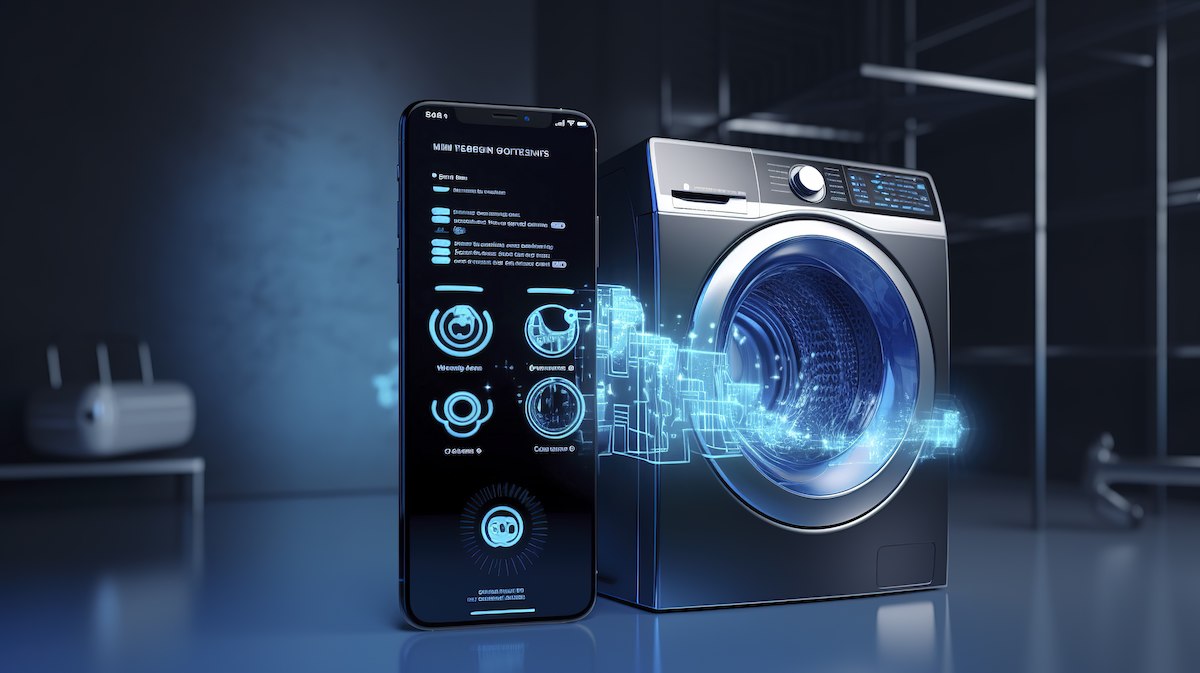
4. Mobile App Pairing Problems
Some washing machines require a manufacturer's mobile application for setup and remote control. The appliance may connect to Wi-Fi but still fail to appear in the application because of incorrect account credentials, application permissions, Bluetooth pairing issues, or communication problems between the app and manufacturer's cloud service.
5. Outdated Firmware
Firmware controls many of the electronic functions of a smart washing machine. An outdated version may contain bugs that affect wireless communication, mobile-app compatibility, or network authentication.
6. Router Configuration Problems
Router security settings can also interfere with smart appliances. Changes to encryption, DHCP settings, MAC filtering, guest networks, firewall configurations, or network names may prevent the washing machine from establishing a connection.
Signs Your Washing Machine Has a Wi-Fi Problem
Some symptoms are easy to identify. You may notice that:
-
The washing machine repeatedly shows "Wi-Fi disconnected" or "offline."
-
The appliance cannot find your home network.
-
The mobile application cannot locate the washing machine.
-
Remote start or remote monitoring stops working.
-
Notifications from the washing machine are no longer received.
-
The Wi-Fi indicator repeatedly flashes or disappears.
-
The appliance disconnects shortly after successful pairing.
-
The machine connects to Wi-Fi but cannot communicate with the manufacturer's app.
-
Network settings disappear after restarting the washing machine.
These symptoms can indicate either a network-related problem or a fault within the washing machine's electronic system.
Troubleshooting Washing Machine Wi-Fi Connection Problems
Before booking a technician, several basic checks can be performed safely.
Restart the Washing Machine and Router
Turn off the washing machine according to the manufacturer's instructions and restart the Wi-Fi router. Temporary communication errors can sometimes be cleared by restarting both devices.
Check the Wi-Fi Network
Confirm that other devices can connect to the same network. If phones, computers, and other smart devices are also experiencing connection problems, the issue may be with the router or internet service rather than the washing machine.
Check the Wi-Fi Frequency
Check whether your washing machine supports 2.4 GHz, 5 GHz, or both. If the appliance requires 2.4 GHz connectivity, ensure that the compatible network is available during setup.
Move or Improve the Router
Where practical, improve wireless coverage around the laundry area. A Wi-Fi extender or mesh system can help in larger homes and buildings where the washing machine is far from the main router.
Reset the Washing Machine's Network Settings
Some appliances have a dedicated Wi-Fi reset or network reset procedure. This removes stored network credentials and allows the appliance to be paired again. Follow the manufacturer's instructions because the procedure varies between models.
Update the Mobile Application and Firmware
Ensure that the manufacturer's application is updated. If a firmware update is available, install it according to the manufacturer's instructions. Avoid interrupting a firmware update because doing so can potentially cause electronic control problems.
Common Causes and Possible Solutions
| Wi-Fi Problem | Possible Cause | Recommended Action |
|---|---|---|
| Network not detected | Weak signal or incompatible frequency | Check router location and Wi-Fi band |
| Incorrect password | Wrong credentials | Re-enter the correct password |
| Machine goes offline | Router or signal instability | Restart router and improve coverage |
| App cannot find machine | Pairing or account problem | Re-pair appliance and check app settings |
| Connection drops frequently | Interference or weak signal | Improve Wi-Fi coverage |
| Wi-Fi stops after update | Firmware/software issue | Check manufacturer support or technician |
| Machine will not enter pairing mode | Electronic or control fault | Professional diagnosis may be required |
| Wi-Fi module unavailable | Hardware failure | Inspect or replace the module |
When Professional Washing Machine Repair Is Necessary
Not every Wi-Fi problem is caused by the internet connection. If basic troubleshooting fails, the appliance may have an electronic fault requiring professional diagnosis.
A qualified technician can inspect components such as:
-
Wi-Fi communication modules
-
Main control boards or PCBs
-
Display and user-interface boards
-
Wiring and connectors
-
Power supply circuits
-
Firmware and software configuration
-
Communication between control modules
-
Sensors associated with electronic controls
A damaged Wi-Fi module may need replacement, while a defective control board could require repair or replacement depending on the washing machine model and availability of spare parts.
Professional diagnosis is particularly important when the Wi-Fi problem occurs alongside other symptoms, such as failure to start, unusual error codes, display problems, intermittent shutdowns, or malfunctioning wash programs.
Washing Machine Wi-Fi Repair Services in Nairobi
Professional washing machine repair in Nairobi can cover both conventional appliance faults and smart-appliance connectivity problems. Experienced technicians can diagnose whether the problem originates from the washing machine, router, mobile application, firmware, or electronic control system.
When selecting a technician, consider the following:
-
Experience with smart washing machines – Smart appliances require knowledge beyond mechanical washing-machine repair.
-
Electronic diagnostic capability – The technician should understand PCBs, control modules, sensors, and wireless components.
-
Brand familiarity – Different manufacturers use different applications, Wi-Fi modules, firmware systems, and diagnostic procedures.
-
Availability of spare parts – Genuine or compatible replacement modules and control boards may be necessary.
-
On-site service – On-site diagnosis can be convenient because washing machines are heavy and difficult to transport.
-
Transparent pricing – Ask for a diagnosis and repair estimate before authorizing major component replacement.
Preventing Future Wi-Fi Connectivity Problems
Regular maintenance can reduce the likelihood of recurring smart-appliance problems. Keep the washing machine's firmware and mobile application updated, maintain reliable Wi-Fi coverage, and avoid placing the router or appliance in locations where the wireless signal is severely obstructed.
It is also advisable to document the washing machine's model number, serial number, application name, and error codes. This information can help a technician identify the correct diagnostic procedure and spare parts more quickly.
Frequently Asked Questions
1. Why won't my washing machine connect to Wi-Fi?
The problem may be caused by an incorrect password, unsupported Wi-Fi frequency, weak signal, router configuration, outdated firmware, or a faulty wireless module.
2. Do washing machines need 5 GHz Wi-Fi?
Not necessarily. Many smart washing machines support 2.4 GHz Wi-Fi, while some newer models support both 2.4 GHz and 5 GHz. Check the specifications for your specific model.
3. Can resetting the washing machine fix Wi-Fi problems?
Yes. Resetting network settings can resolve temporary software or configuration problems. However, a reset will not repair a physically damaged Wi-Fi module or control board.
4. Why does my washing machine connect to Wi-Fi but remain offline in the app?
This can result from account, application, internet, cloud-service, permissions, or pairing problems. Re-pairing the appliance and updating the application may resolve the issue.
5. Can a technician repair a washing machine Wi-Fi module?
In many cases, a technician can diagnose the module and determine whether it can be repaired or should be replaced. The appropriate solution depends on the washing machine's brand, model, and component availability.
6. Is a Wi-Fi problem a mechanical washing machine fault?
Not usually. Wi-Fi connectivity is primarily an electronic and software function. However, connectivity problems can occur alongside faults in the control board or power supply.
7. Should I replace the washing machine if Wi-Fi stops working?
Not necessarily. If the washing machine still performs its washing functions correctly, repairing or replacing the wireless component may be considerably more practical than replacing the entire appliance.
Reliable washing machine Wi-Fi connection problems repair in Nairobi requires identifying the actual source of the failure rather than simply replacing parts. Start with network, password, frequency, application, and firmware checks. If the appliance still cannot connect—or if it displays electronic errors—professional diagnosis can determine whether the problem involves the Wi-Fi module, PCB, power supply, firmware, or another component. Prompt repair can restore smart functionality while helping extend the useful life of the washing machine.